August 9, 2026
Best Online Catalog Features for Florists in 2026
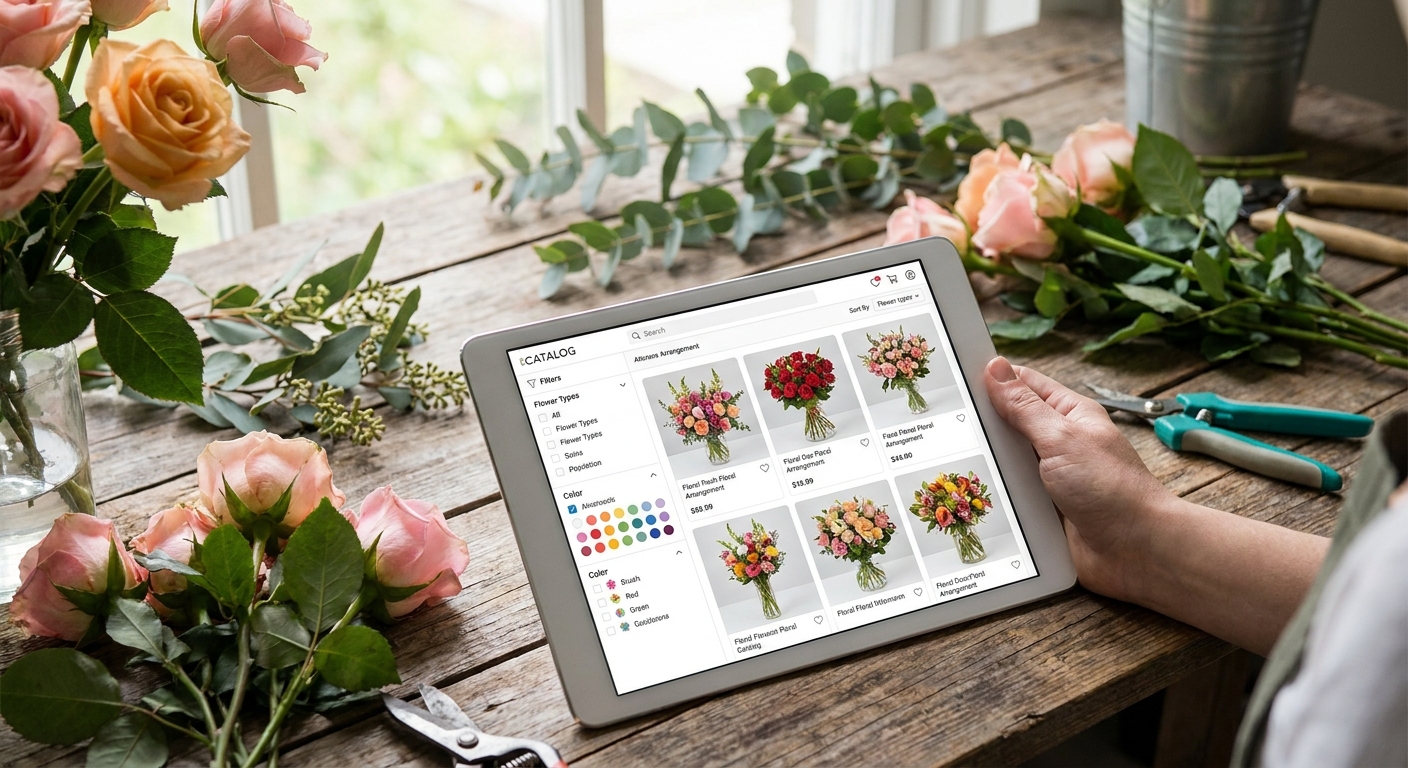
An online catalog is the storefront for a flower shop that never closes, and most florist sites waste it on a static photo gallery with no path to checkout. The best online catalog features for florists turn browsing into same-day orders, not just admiring arrangements you can't buy at 11pm on a Tuesday.
- Real-time inventory sync is the top 2026 catalog feature for florists — it stops overselling on Valentine's Day and Mother's Day.
- Mobile-first checkout wins Buy for florists because most bouquet orders now happen on a phone, often from a gift-buyer in a hurry.
- Custom arrangement builders and delivery-date pickers raise average order value without adding staff hours.
- Skip generic plugin catalogs with no delivery-zone logic — they cause the refund calls florists dread most.
Why this matters
A flower shop's busiest days are also its least forgiving: Valentine's Day, Mother's Day, graduation week. Orders spike, inventory runs out mid-morning, and delivery windows tighten to hours instead of days. A catalog built for a boutique with slow, steady traffic breaks under that load.
Web design for florists has to account for this from the start, not patch it in later with a plugin. The catalog is the single page doing the most commercial work on a florist site in 2026 — more than the homepage, more than the about page. Get the features wrong and every peak weekend becomes a customer-service fire drill.
How we ranked these features
Each feature below is judged on three things: how much it changes order volume on peak days, how much setup and ongoing maintenance it demands, and how it performs on a phone screen, since most florist orders in 2026 start on mobile. Features that require a developer to touch code every time a bouquet sells out score lower than ones that update automatically. Features that only look good on a desktop mockup and fall apart on a 6-inch screen get marked down hard, because that's where florist customers actually are.
The ranked list
1. Real-time inventory sync — the freshness safeguard
Florists sell perishable, finite stock. A dozen roses sold out at 9am should disappear from the catalog by 9:01am, not stay listed until a staff member notices three cancelled orders.
Shops running manual inventory updates report the sharpest spike in refund requests on holiday weekends, exactly when reputation matters most. Real-time sync removes that entirely by tying stock counts to the order system automatically. Verdict: Buy.
2. Filterable categories by occasion, color, and price — the search shortcut
A gift buyer searching "sympathy arrangement under $75" doesn't want to scroll forty product tiles to find it. Filters by occasion, color, and price band cut the path to checkout from minutes to seconds.
This matters more for florists than for most retail categories because flower purchases are almost always occasion-driven, not browsing-driven. Verdict: Buy.
3. High-resolution, zoomable photography — the trust builder
Customers can't touch or smell the product online, so the photo carries the entire trust decision. Blurry, low-res thumbnails are the single fastest way to lose a sale to a competitor's site.
Zoomable images that show stem count, vase size, and color accuracy reduce the "this doesn't look like the picture" complaints that hurt review scores. Verdict: Buy.
4. Delivery-date picker built into the cart — the conversion lever
Florist orders are date-sensitive in a way most retail purchases aren't. A checkout flow without a delivery calendar forces customers to guess, email, or call, and most won't bother.
An integrated date picker that blocks out already-full delivery slots prevents overpromising and cuts the back-and-forth phone calls that eat staff time during peak weeks. Pairing this with best e-commerce features for small retail websites closes most of the gap between a florist catalog and a full retail cart. Verdict: Buy.
5. Same-day and delivery-zone checker — the local differentiator
Most florist competition is hyper-local. A catalog that tells a customer instantly whether same-day delivery reaches their zip code wins the order before a competitor's site even loads.
Without this, customers abandon carts to call and confirm delivery range, and a meaningful share never call back. Verdict: Buy.
6. Custom arrangement builder — the upsell engine
Letting a customer pick stem count, add-ons like a vase or chocolates, and a price tier turns a $45 order into a $70 one without any extra sales effort. This is the feature most florist sites skip because it takes more setup than a static product page.
It pays for that setup on every Mother's Day weekend that follows. Verdict: Consider — worth it for shops with staff time to configure it once; skip for a one-person shop mid-season.
7. Mobile-first checkout — the non-negotiable
Most florist catalog traffic in 2026 arrives on a phone, frequently from someone buying a last-minute gift between meetings. A checkout that requires pinch-zooming or a desktop-sized form kills that order on the spot.
This isn't optional the way a builder tool is — a broken mobile checkout is a lost sale, full stop. If the current online store setup wasn't built mobile-first, adding an online store to an existing website the right way fixes this at the foundation instead of patching it. Verdict: Buy.
8. SEO-friendly product pages with local schema markup — the discovery engine
A catalog with clean, indexable product pages and local business schema shows up when someone searches "florist near me open today" or "same day flower delivery [city]." A catalog buried inside a slideshow or PDF menu shows up nowhere.
This is the feature that brings new customers in rather than just converting the ones who already found the shop. Pairing catalog structure with local SEO features for small business websites is what actually moves a florist up the local map pack in 2026. Verdict: Buy.
“If a delivery date has to be confirmed by phone call, the catalog isn't finished yet.”
Comparison at a glance
| Feature | Setup effort | Peak-day impact | 2026 verdict |
|---|---|---|---|
| Real-time inventory sync | Medium | High | Buy |
| Occasion/color/price filters | Low | Medium | Buy |
| High-res zoomable photos | Low | High | Buy |
| Delivery-date picker | Medium | High | Buy |
| Delivery-zone checker | Medium | High | Buy |
| Custom arrangement builder | High | Medium | Consider |
| Mobile-first checkout | Medium | High | Buy |
| SEO product pages + schema | Medium | Medium-High | Buy |
Where to build it
- Don't bolt these onto a page-builder template one at a time. Inventory sync, delivery-zone logic, and mobile checkout work best when they're part of the same custom build, not five separate plugins fighting each other.
- Match the catalog to a plan that includes ongoing changes. Flower inventory and seasonal promotions change weekly; a static build that needs a developer invoice every time stock changes will cost more over a year than a subscription that includes updates.
- Check hosting and support are part of the deal, not an add-on. A catalog that goes down on Valentine's Day morning because of a hosting issue costs more in lost orders than a year of hosting fees.
A flat monthly plan that bundles design, development, hosting, and support removes the guesswork here — see how that compares across website subscription plans for small businesses before committing to a one-off build.
Get your florist catalog built right
Custom code, no upfront build fees, hosting and support included.
FAQ
What are the best online catalog features for florists in 2026?
Real-time inventory sync, a delivery-date picker, delivery-zone checking, mobile-first checkout, and high-resolution zoomable photography rank highest for 2026. These five features cover the moments florist orders most often fail: overselling, guessed delivery dates, and broken mobile carts.
Do florists need a custom arrangement builder?
It's a Consider, not a must-have. A custom arrangement builder raises average order value by letting customers add stems, vases, or chocolates, but it takes more setup than a static product page, so it pays off most for shops with staff time to configure it before peak season.
Is a page-builder template enough for a florist online catalog?
No — most page-builder templates can't handle real-time inventory sync or delivery-zone logic without stacking several plugins. That stacking is what breaks first on high-traffic days like Valentine's Day.
How much does a florist online catalog cost to build?
Costs vary by scope and provider, and a florist-specific catalog with inventory sync and delivery logic costs more to build than a basic product gallery. Ask any provider for a quote scoped to your feature list rather than a generic package price.
Why does mobile checkout matter so much for florist sites?
Most florist catalog traffic arrives on a phone, often from someone buying a last-minute gift. A checkout that isn't built mobile-first loses that order the moment the form is hard to tap through.
What's the biggest mistake in florist online catalogs?
Letting inventory go stale — selling an item online that already sold out in-store. This causes the refund calls and one-star reviews that hit hardest right after a holiday weekend.
Does SEO matter for a florist product catalog?
Yes — clean, indexable product pages with local schema markup are what surface a florist for searches like same-day flower delivery near me. A catalog buried in a slideshow or PDF menu doesn't show up in those searches at all.
One last thing
The feature that gets skipped most often isn't a fancy one — it's the delivery-zone checker. Florists assume customers will call to confirm delivery range, but most just leave and order from whichever competitor's site answers that question instantly. In 2026, that single missing filter is costing more local orders than a weak photo gallery ever will.